


Pregnancy Tracker and Baby App
4.516.00 Reviews
App Specs
- Version
- 355.0.9
- Updated On
- License
- Free
- Downloads
- 1,000,000+
- Developer
- Firehawk
- Categories
- Parenting
- Platform
- Android
Screenshots
 Analysis by AppCompare
When I open Pregnancy Tracker and Baby App, I want one thing first: a clear sense of what the current week means, without feeling that I need to read a textbook before breakfast. That week-by-week focus is the app’s central promise, and it makes the most sense for someone who wants pregnancy information close at hand alongside practical tracking tools. I’d treat it as a companion for keeping informed and organized, not as a substitute for a clinician or a source of urgent medical advice.
It’s a free parenting app from Firehawk, with a 4.5 average from around 16,000 ratings and over a million installs. It’s rated for Everyone, and the current version is 355.0.9. Those figures suggest it has reached a broad audience, though popularity alone can’t tell you whether its approach will suit your needs. The useful question is whether a week-by-week guide, personal logs, and pregnancy tools fit the way you want to follow this experience.
Getting Started with the App
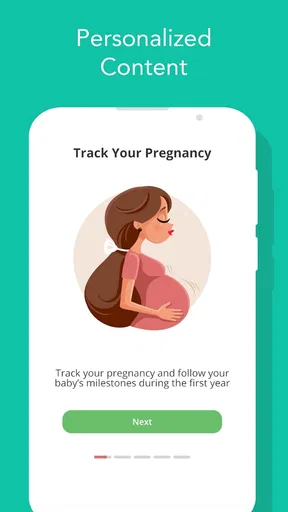
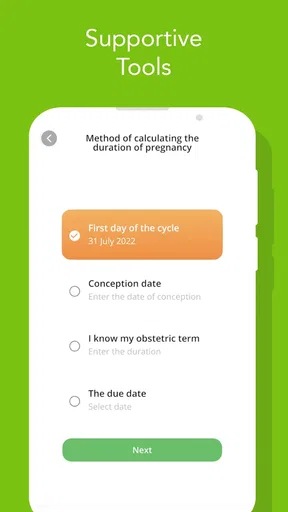
First things first, downloading and setting up the Pregnancy Tracker and Baby App is a breeze. Available on both Android and iOS, it’s super easy to find and install. Once you have it on your phone, the app prompts you to enter your due date, allowing it to tailor the experience just for you. It’s like the app knows exactly what you need right from the start!
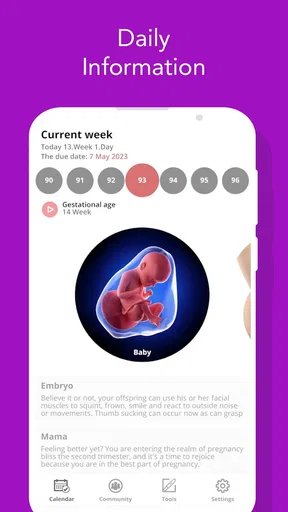
From the get-go, the user interface feels friendly and inviting. It doesn’t bombard you with too much information all at once, which is a relief. The home screen shows you the essentials, like your pregnancy week, daily tips, and baby’s development. You can also log your symptoms, which the app uses to give you personalized advice. Pretty neat, huh?
A Deep Dive into Features
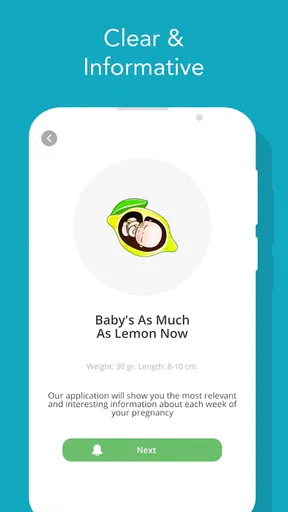
One of the standout features of this app is the weekly updates. Each week, you get a new article that explains what’s happening with your body and your baby. It’s like having a mini-guidebook that grows with you. Plus, the comparison of your baby’s size to fruits or veggies is cute and relatable!
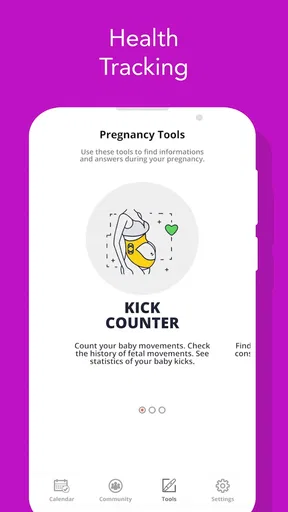
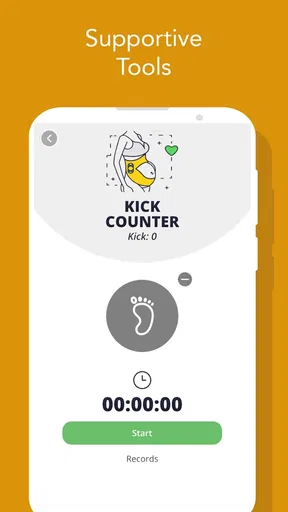
The app also includes a comprehensive kick counter and contraction timer. These tools are super handy as you progress through your pregnancy. Counting kicks is a great way to monitor your baby’s health, and the contraction timer will be invaluable when the big day arrives.
Another area where this app shines is its community feature. You can connect with other moms-to-be, share your experiences, and ask questions. It’s like having a support group in your pocket, which can be incredibly reassuring, especially for first-time moms. Sometimes, just knowing you’re not alone in this journey makes a world of difference.
Worth Reading Before You Choose

Flipboard Shows What News Apps Must Do Beyond the Feed

Switching to Android Auto Means Rethinking Your Driving Routine

Google Calendar Makes a Crowded Week Easier to Manage

Ludo King Makes the Most of the Minutes Between Plans

Baby Panda World Brings Quick Play to Modern Phones, but Its Game Library Feels Busy

ESPN’s Live Game View Makes Following Close Games Easier
Customization and Usability
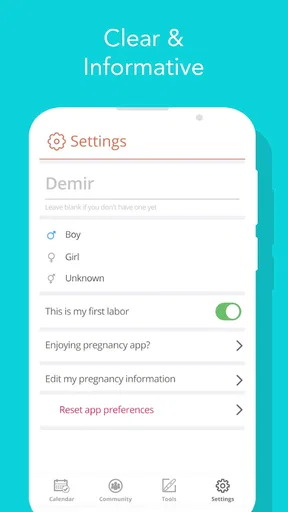
Customization is another strong suit of the app. You can set reminders for doctor appointments, track your weight, and even upload photos to create a visual diary of your pregnancy. The app also offers meditation and relaxation techniques, which are perfect for those stressful days when you just need a moment of calm.
The usability of the app is top-notch. It’s intuitive and doesn’t require a steep learning curve. Even if you’re not tech-savvy, you’ll find navigating through the app a breeze. Everything is organized logically, and the app doesn’t lag or crash, which is always a plus.
Making the Information Work for You
I get the most value from a pregnancy tracker when I use it to prepare questions, not to self-diagnose. If a weekly article mentions a change that sounds familiar, I’d jot down what I’m experiencing and bring it up at an appointment rather than deciding on my own that everything is normal. Symptom notes can make that conversation more concrete: when something started, whether it changed, and what I want to ask. For anything worrying or urgent, I’d contact a qualified care provider instead of waiting for an app explanation.
A practical first-week routine can stay very small. Enter the due date, read the current week’s information, and save one question or observation you want to remember. That is a real first success: the app has turned a vague “I should keep track of this” into a short note you can use later. You don’t need to fill every tracker or explore every section on day one to get something useful from it.
Everyday Use, Without Turning It into Homework
For example, imagine checking the app while waiting for a prenatal appointment. I might reread the weekly article, note a symptom that has been on my mind, then set or check a reminder so I don’t have to keep the date in my head. Later, I can use the kick counter when it fits the guidance I’ve received from my care team. Keeping those actions in separate moments helps the app feel like a useful reference rather than another daily task list demanding attention.
There’s also a useful trade-off in how much to record. A photo diary or weight log can help some people notice changes over time, but a log is only helpful if recording it feels comfortable and serves a purpose for you. If tracking a particular detail makes you more anxious, skip it; using fewer tools is better than turning pregnancy into a stream of numbers to check. The app’s value is not measured by how completely you fill it in.
How It Fits Beside Other Pregnancy Resources
Compared with relying on general web searches, a week-by-week app gives you a more organized place to return to and can reduce the temptation to open a dozen conflicting pages for the same question. Compared with a simple calendar or notes app, it brings pregnancy-focused reading and tools such as a kick counter and contraction timer into the same experience. The trade-off is that a specialist app can’t replace the flexibility of asking your own clinician, and a general notes app may be a better fit if all you want is a private, minimal log without articles or community discussion.
The community can add companionship, but I’d use it with sensible boundaries. Other parents can share how something felt for them, yet their experiences aren’t a diagnosis or a reliable guide to what will happen in your pregnancy. I’d avoid treating a popular reply as medical instruction, and I wouldn’t post details I’d rather keep private. If you mainly want professional answers or prefer not to discuss personal experiences with peers, the community side may not be a reason to choose this app.
Small Frictions and Who May Prefer Another Approach
The app’s breadth is convenient, but it can also make the experience feel fuller than necessary if you only want a weekly article. Community conversations, logs, reminders, and relaxation content may be useful to one person and distracting to another. My advice is to decide what you want before exploring: information, organization, peer connection, or a combination. Then use the relevant parts and leave the rest alone.
It may also take a little care to interpret timing. Pregnancy-week information is most useful as a broad guide tied to the due date you enter; it should not be treated as a precise prediction of how your body or baby will develop on a particular day. If your dates change or your clinician gives you different guidance, use their advice as the reference point. A tracker is there to help you follow along, not to overrule individualized care.
Cost is another practical consideration. The app is free to download, while in-app purchases range from about a dollar to around a hundred dollars per item. I’d look at what is available before buying anything and decide whether a paid item solves a need I actually have. If your goal is simply to read week-by-week information and keep a few notes, start with the free experience rather than assuming you need extras.
Final Thoughts
So, what’s the verdict on the Pregnancy Tracker and Baby App? Honestly, it’s a gem. Whether you're tracking your baby’s growth, needing a community to lean on, or simply looking for a reliable way to organize your pregnancy journey, this app delivers on all fronts. It’s thoughtful, comprehensive, and user-friendly enough to make it a staple on your phone.
If you’re expecting, I’d definitely recommend giving this app a try. It’s like having a pregnancy coach, support group, and personal assistant all rolled into one. And let’s be real, who wouldn’t want that during such a special time in their life?
My recommendation comes with one qualification: use it as a supportive reference, not as a promise that every feature will suit every person. A first-time parent who likes guided reading and gentle organization may appreciate having the weekly material, notes, and practical tools together. Someone who feels overwhelmed by frequent tracking, wants only clinician-led information, or prefers not to use a community may be happier with a simpler option and direct conversations with their care team.
To get started without pressure, I’d enter the date, read the current update, and choose just one tool to try. If that helps you remember a question, feel more oriented, or keep an appointment in view, the app has earned a place in your routine. If it adds noise, there’s no need to force it: the best pregnancy companion is the one that supports your real life, rather than asking you to manage another project.
Pros
- Comprehensive weekly updates.
- Personalized tips and advice.
- Easy-to-use interface.
- Integration with health apps.
- Community support and forums.
Cons
- Limited customization options.
- In-app ads can be intrusive.
- Some features require a subscription.
- Limited offline functionality.
- Occasional notification glitches.
FAQs for Pregnancy Tracker and Baby App
What features does the Pregnancy Tracker and Baby App offer?
The Pregnancy Tracker and Baby App offers a comprehensive range of features, including weekly updates on your baby's development, a personalized pregnancy timeline, kick count and contraction timer, and a journal for notes and photos. The app also provides expert tips and articles to help you navigate each stage of pregnancy effectively.
Is the Pregnancy Tracker and Baby App free to use?
The app offers a free version with access to essential features such as weekly updates and a pregnancy timeline. However, there is a premium subscription available that unlocks additional content, such as exclusive articles, advanced tracking tools, and an ad-free experience. Users can choose according to their needs and budget.
How accurate is the information provided by the app?
The Pregnancy Tracker and Baby App sources its content from medical professionals and experienced parenting experts to ensure accuracy and reliability. While the app provides valuable insights and guidance, it is always advisable to consult with a healthcare provider for personalized medical advice tailored to your individual circumstances.
Can I use the app to track multiple pregnancies?
Yes, the app allows users to manage multiple pregnancies simultaneously. You can create separate profiles for each pregnancy, enabling you to track different timelines, symptoms, and milestones. This feature is particularly useful for individuals expecting twins or those who have previously recorded pregnancies with the app.
Is my personal data secure with the Pregnancy Tracker and Baby App?
The app prioritizes user privacy and data security. It uses encryption to protect personal information and offers options to customize privacy settings. Users can choose what data to share and have the ability to delete their data at any time. Always review the app's privacy policy for detailed information on data handling practices.


